Avoid Mic Feedback in Meetings
When multiple computers in the same room join the same video conference it sounds terrible. The key to avoiding this happens as you join the meeting.
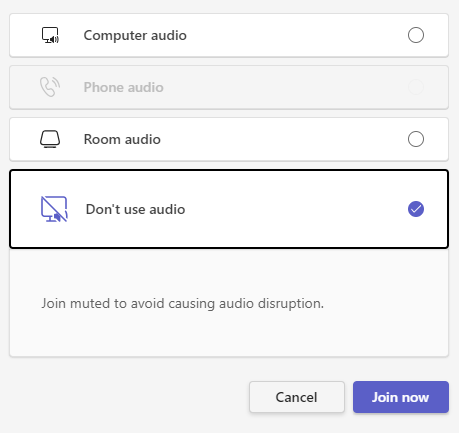
Instead of using the default Computer audio, select the bottom option, Don't use audio. From there, just click Join now.
This will prevent your microphone and speakers from broadcasting, avoiding the dreaded feedback.